The X Communities desk for Solana tokens

Commons

“Every token has a home.”

Commons is the first desk that lets you browse, watch, and trade Solana tokens by the X Community they call home — with honest, link-derived context and real wallet-approved execution.

Android APK · 13 MB · free, no account needed

Honest by design

  • Community links are self-reported by token teams via their DexScreener profiles — never verified.
  • Trading quotes are estimates, not commitments.
  • Non-custodial: your wallet signs every swap; the app never holds your keys.
  • No accounts. Your watchlist lives on your device only.
What it is

A desk for tokens that call an X Community home

Across Solana, a growing share of token teams point their DexScreener profile link at an X Community instead of a plain account — communities are becoming tokens' home base. Commons turns that link into a browsing key: it reads public market data, groups tokens by the community their team linked, and lets you watch or trade any of them with your own wallet.

Commons is a viewer and trading desk about those tokens — it is not a partnership with X, any community, or any token team, and it does not verify anyone's claims.

The brand

Every token has a home.

Features

Four tabs, one desk

⌂ Commons tab

The live community-linked feed

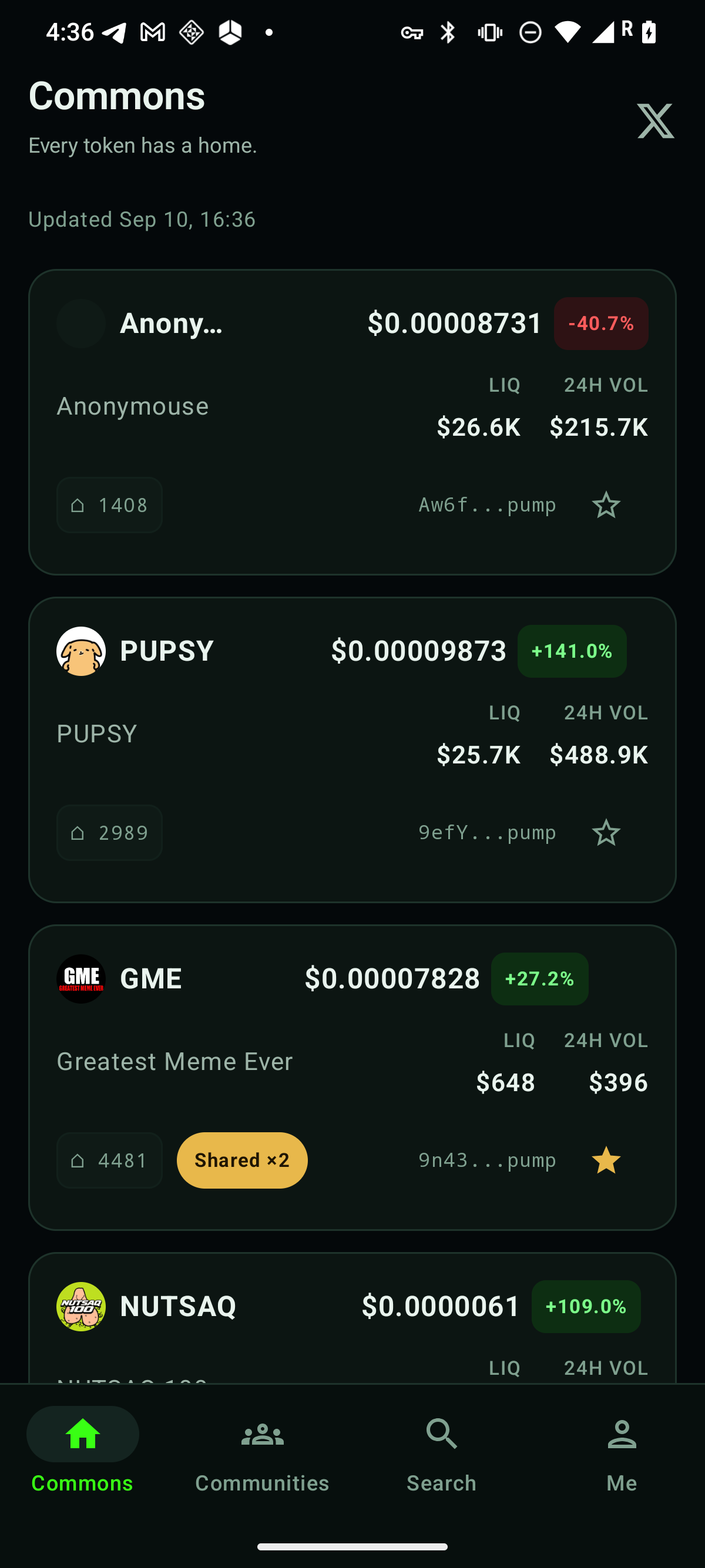
Every Solana token whose team linked an X Community on its DexScreener profile, with price, 24h change, liquidity, and 24h volume on each card. Pull to refresh.

  • A community chip on every linked card
  • A gold Shared ×N badge when two or more tokens orbit the same community
  • Tap any card for full token detail
⌂ Communities tab

The community board

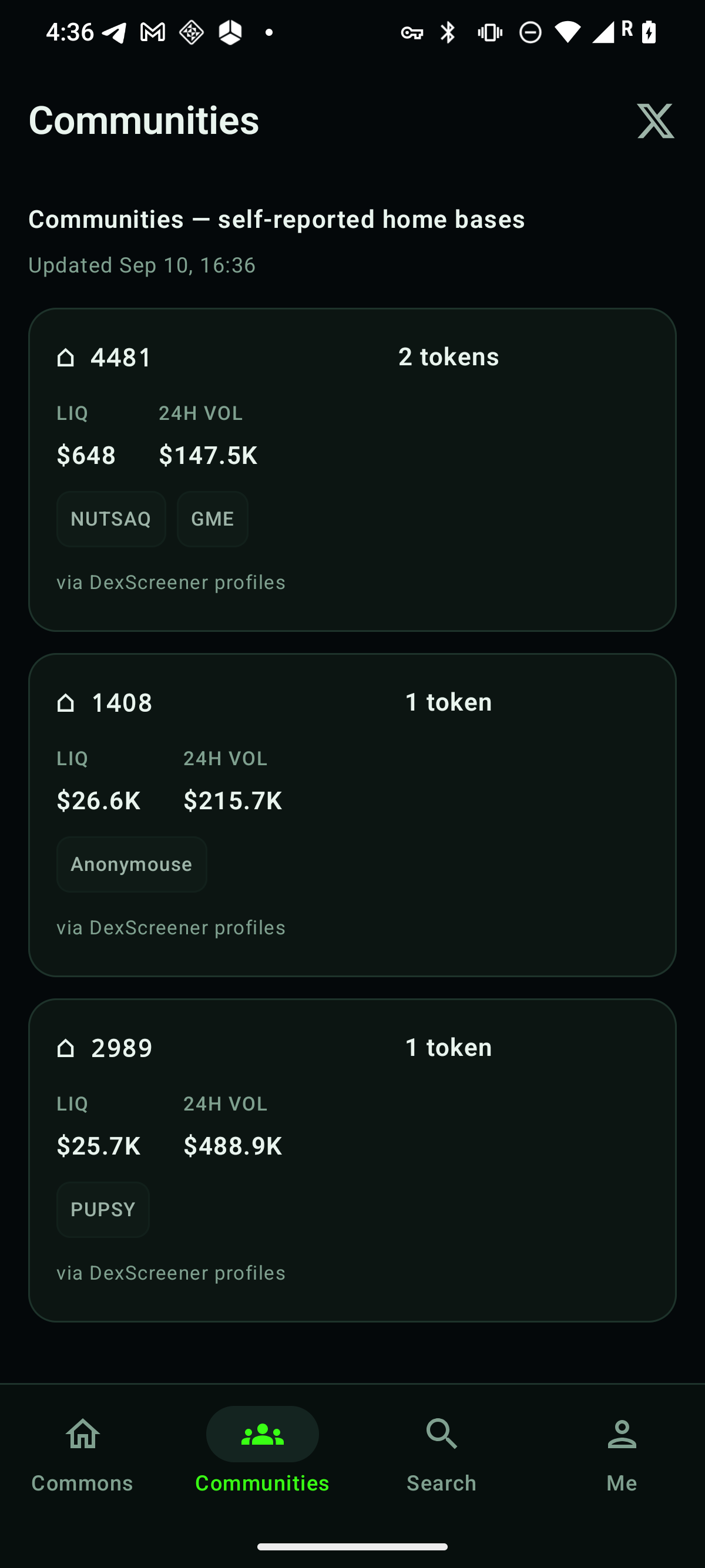
Every distinct linked community, ranked by how many tokens call it home, with aggregate liquidity and 24h volume context.

  • Open a community to see its member tokens
  • “Open community on X” jumps to the community itself in your browser
  • Ranked by token count — a link-derived signal, not an endorsement
⌂ Search tab

Search the live universe

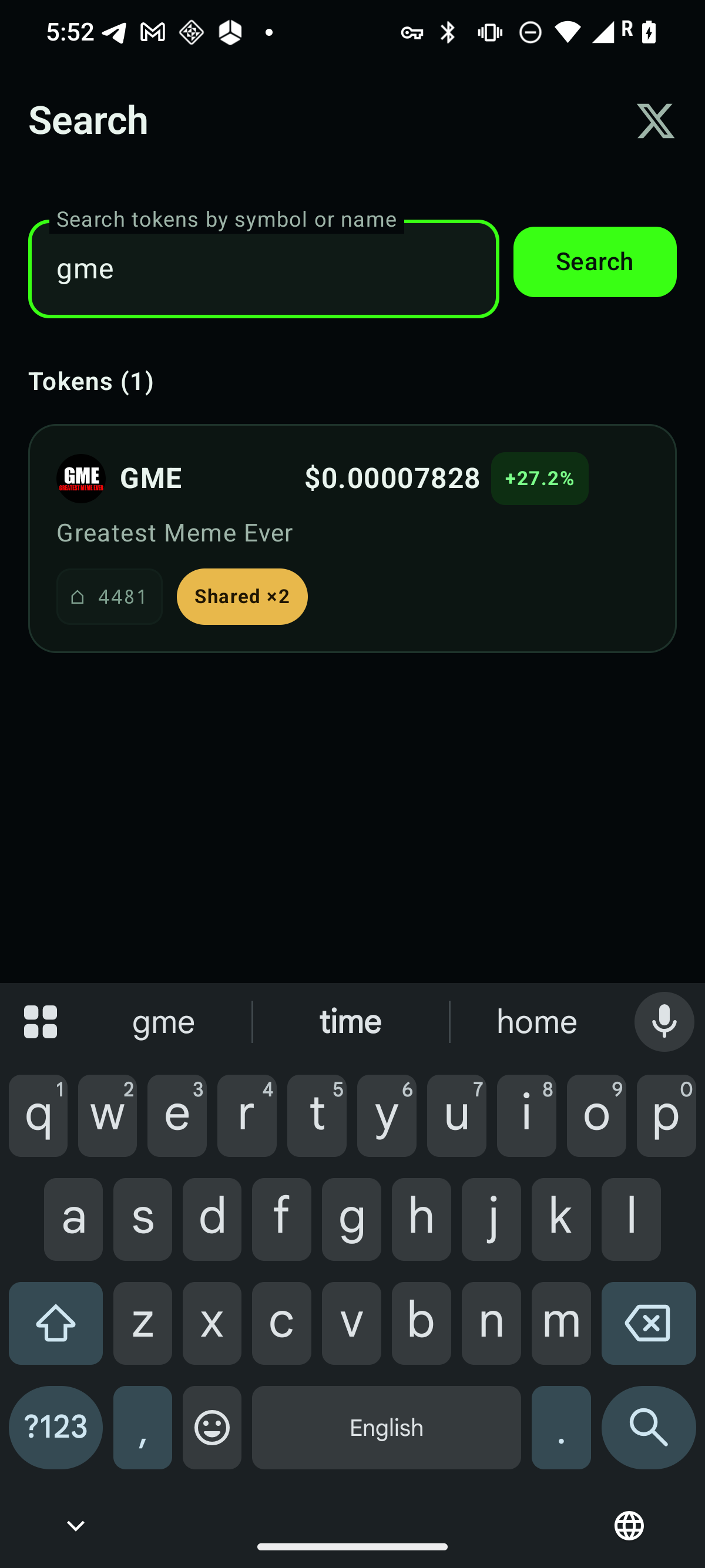
Fast search by symbol or name across the live community-linked feed, plus a token lookup fallback.

  • Results show price and community context
  • Tap through to token detail from any result
⌂ Me tab

Your wallet, your stars, the fine print

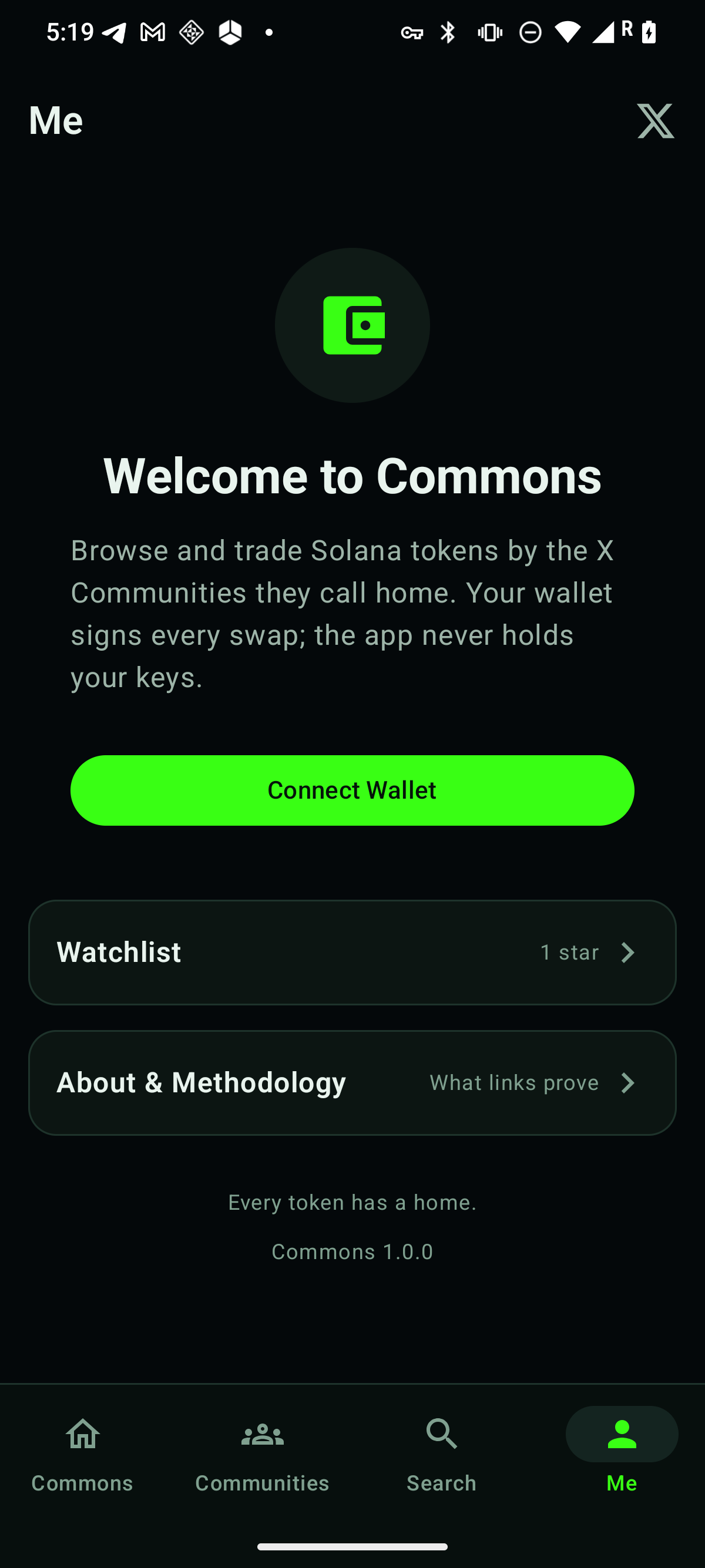
Connect your own Solana wallet with Solana Mobile Wallet Adapter, keep a device-local watchlist, and read the Methodology page that spells out exactly what a community link proves — and what it doesn't.

  • Wallet connect: your wallet approves and signs; the app never holds keys
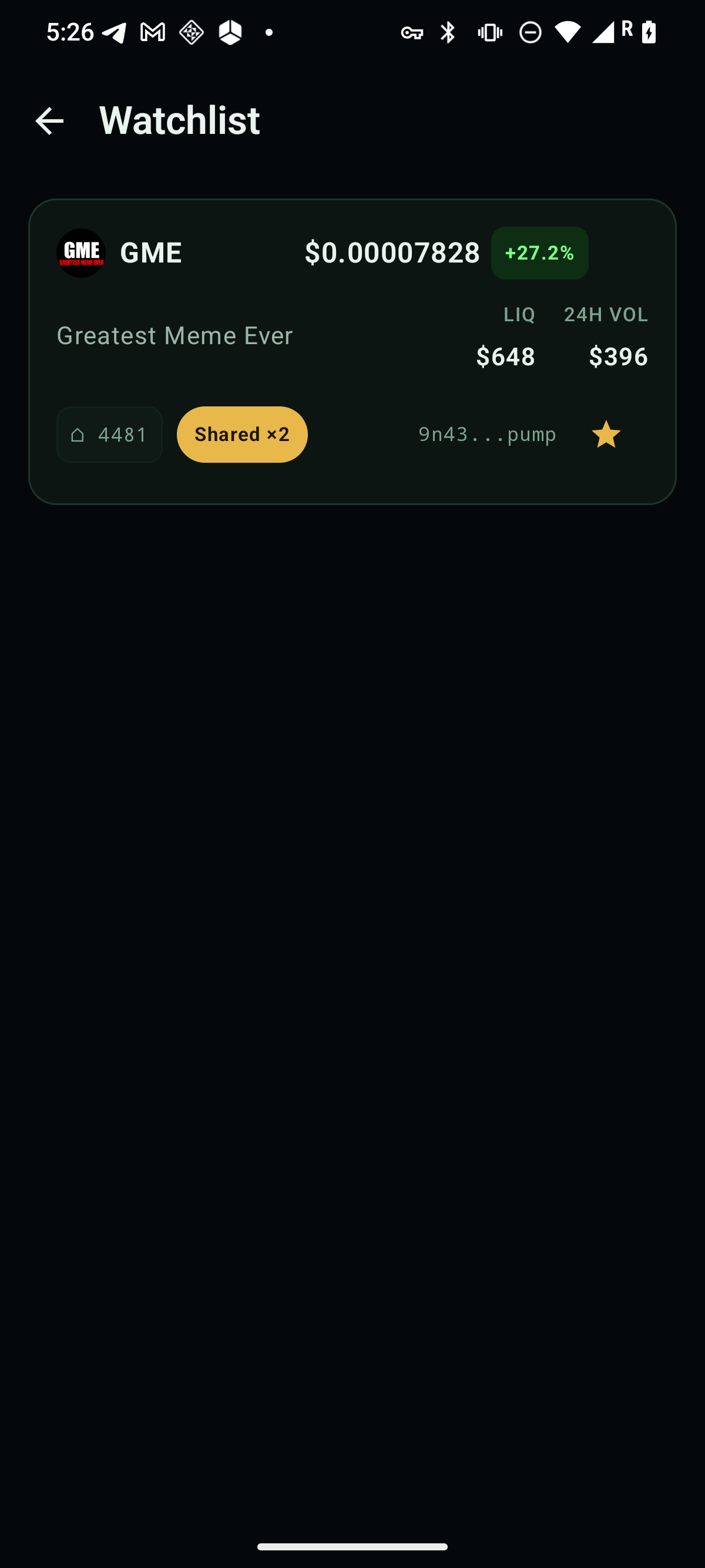
  • Star tokens anywhere — the watchlist is stored on your device only
  • About & Methodology with plain-language disclaimers
Trading

Wallet-approved swaps, truthfully labeled

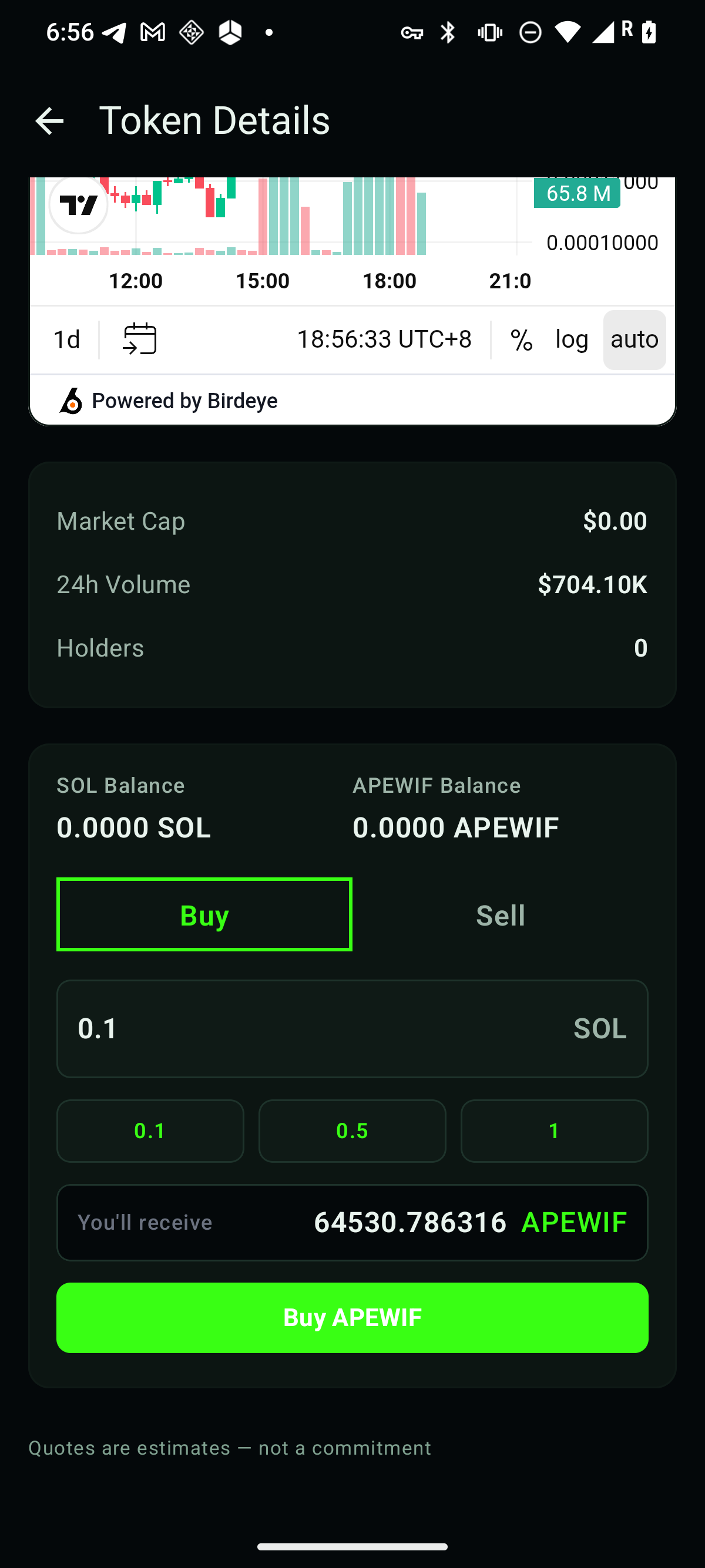
On token detail you can quote a Buy or Sell against live liquidity and, if you choose to proceed, the swap is prepared and handed to your own Solana Mobile wallet for approval. Your wallet signs and submits the transaction — Commons never touches your keys. Quotes are labeled “estimates — not a commitment” right in the app, and a trade only shows as submitted after your wallet returns a real signature.

Screenshots

The actual app, running on live data

Commons app screenshot: the feed tab listing community-linked Solana tokens with prices, 24-hour change chips, community chips, and a gold Shared ×2 badge
Commons feed — live community-linked tokens with a gold Shared ×2 badge.
Commons app screenshot: the Communities board ranking linked X Communities by token count with aggregate liquidity and 24-hour volume
Communities board — ranked by token count, with aggregate context.
Commons app screenshot: the Search tab returning a token result with price, a 24-hour change chip, a community chip, and a Shared ×2 badge
Search — results join live prices with community context.
Commons app screenshot: the token detail trade card with a live buy quote, quick-select amount buttons, and the caption quotes are estimates — not a commitment
Token detail — a live quote with quick-select amounts before wallet approval.
Commons app screenshot: the Me tab with a Connect Wallet button, a watchlist entry showing one star, and an About and Methodology entry
Me — wallet connect, watchlist, and the Methodology page.
Commons app screenshot: the watchlist showing one starred token with its live price, 24-hour change, community chip, and gold star
Watchlist — starred tokens, stored on the device only.

Get Commons on your Android phone

Install the APK directly — no store account, no sign-up, no wallet required just to browse.

Download APK — 13 MB

com.commons.app · version 1.0.0 · Android APK · 13 MB